
Exploring the Tiers of IT Support: A Detailed Overview
August 4, 2024


Struggling with technical issues and getting inadequate support can frustrate and hinder productivity. You might find yourself in a situation where a simple technical problem escalates due to delayed or ineffective solutions. According to Zendesk, nearly 60% of customers feel that long holds and wait times are the most frustrating parts of a service experience.
Understanding IT support tiers is crucial to ensure your business receives the right level of support at the right time. “Implementing structured IT support tiers ensures efficient issue resolution and enhances overall business productivity.” says, Thad Siwinski, CEO of Prototype IT
In this blog, we will explore the different IT support tiers and how they can benefit your organization.
What are IT Support Tiers: Understanding the Basics
IT support tiers refer to the hierarchical structure used by IT support teams to categorize and handle technical problems.
Each tier represents a different level of expertise and problem-solving capability, ensuring that issues are addressed by the most appropriate personnel. This structured approach optimizes resource allocation and enhances the overall efficiency of the support system.
Dealing with Ineffective IT Support?Experience reliable and efficient support with Prototype IT. |
Tier 0: Self-Service Support: Empowering Users
Tier 0, also known as self-service support, enables users to find solutions independently without direct interaction with support staff. This tier includes resources like FAQs, knowledge bases, and online tutorials. By providing easy access to information, businesses can empower users to resolve simple issues themselves, reducing the burden on higher-level support tiers.
Tier 1: Basic Support: The First Line of Defense
Tier 1 support is the initial point of contact for users experiencing technical issues. The support team at this level handles basic problems, such as password resets, software installation, and general troubleshooting. These support staff are equipped with scripts and basic technical knowledge to resolve common issues quickly. If the issue requires more advanced technical assistance, it is escalated to the next tier.
Tier 2: Advanced Support: Handling More Complex Issues
Tier 2 support involves more experienced technicians who deal with issues that Tier 1 cannot resolve. These support services require a deeper understanding of the company’s products or services and involve more complex troubleshooting. Tier 2 support staff have access to more tools and resources, enabling them to diagnose and fix advanced technical problems effectively.
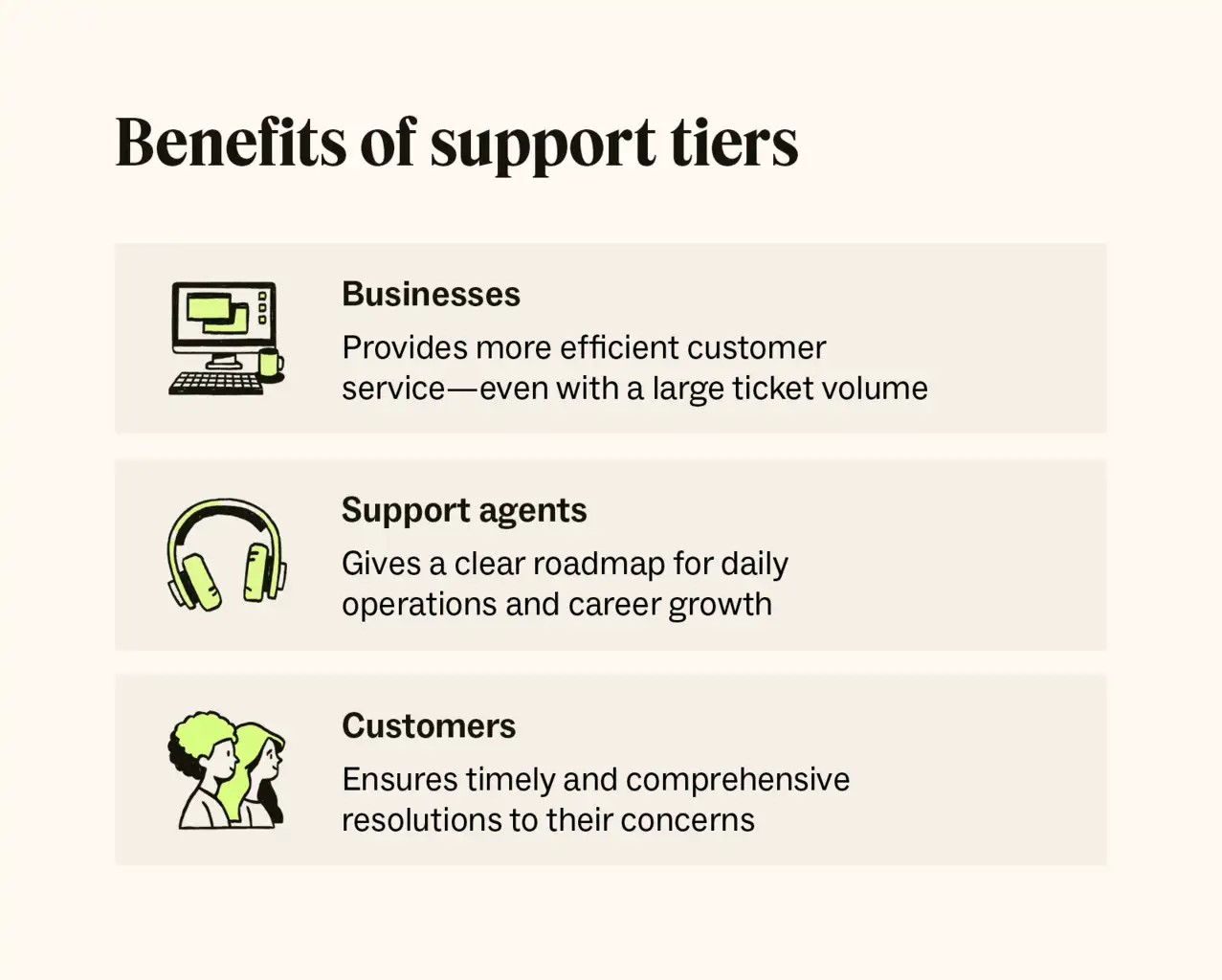
Source: Zendesk
Tier 3: Expert Support: The Highest Level of Technical Support
Tier 3 support represents the highest level of technical expertise within the support structure. This tier is responsible for resolving the most complex and critical issues that other tiers cannot handle. Technicians at this level are experts in their field, often including engineers and developers who work directly with the product or service.
They have in-depth knowledge and can provide advanced technical solutions, ensuring that even the most challenging problems are addressed efficiently.
Tier 4: Specialized Support: Industry-Specific and Custom Solutions
Tier 4 support goes beyond internal IT support teams and involves external vendors or specialized service providers. This tier is used for issues that require specific expertise or knowledge outside the scope of the company’s in-house support structure.
It often includes collaboration with third-party software or hardware vendors to resolve unique or highly specialized technical problems.
Step-by-Step Guide for Implementing IT Support Tiers
| Step | Description |
| Step 1: Assess Needs | Identify your business’s specific IT support requirements and the complexity of issues faced. |
| Step 2: Define Tiers | Clearly define the roles and responsibilities for each IT support tier within your organization. |
| Step 3: Develop Resources | Create and compile self-service resources such as FAQs, knowledge bases, and tutorials. |
| Step 4: Train Staff | Ensure that each support tier is adequately trained with the necessary skills and knowledge. |
| Step 5: Implement Tools | Deploy appropriate tools and software to aid in issue tracking, ticketing, and escalation. |
| Step 6: Establish SLAs | Set up Service Level Agreements (SLAs) to define response and resolution times for each tier. |
| Step 7: Monitor Performance | Continuously monitor the performance of your IT support tiers and make adjustments as needed. |
| Step 8: Gather Feedback | Collect feedback from users and support staff to identify areas for improvement. |
| Step 9: Review and Improve | Regularly review the support process and implement improvements based on feedback and performance data. |
The Importance of Understanding IT Support Tiers
1. Optimizing Customer Service and Efficiency
Understanding IT support tiers is essential for optimizing customer service and improving the efficiency of your support system. By categorizing issues based on complexity and required expertise, businesses can ensure that problems are handled by the appropriate personnel, reducing resolution times and enhancing the overall customer experience.
In fact, CloudSecureTech found that 92% of large organizations choose to outsource their tech support to ensure they receive expert assistance and maintain operational efficiency.
2. Allocating Resources Effectively
IT technical support tiers help in allocating resources effectively. Basic issues are resolved at lower levels, freeing up higher-level technicians to focus on more complex problems. This support structure maximizes the efficiency of your support team and ensures that resources are utilized where they are needed most.
3. Improving Response Times
With a clear support structure, businesses can improve response times significantly. Knowing which tier should handle a particular issue ensures that problems are addressed promptly, reducing downtime and increasing productivity.
4. Enhancing Problem Resolution
Each support tier is equipped with the necessary tools and knowledge to resolve issues specific to their level. This targeted approach enhances problem resolution, as higher-level issues are escalated appropriately, ensuring that complex problems are handled by experts.
5. Boosting Customer Satisfaction
A well-structured IT support system boosts customer satisfaction by providing timely and effective solutions. When customers know that their issues will be resolved efficiently, it enhances their overall experience and trust in your support services. In fact, research shows that 67% of customers are willing to pay more for a great experience.
| More resources you might like: |
Experience Superior IT Support with Prototype IT
Implementing a structured IT support system enhances problem resolution, optimizes resource allocation, and boosts customer satisfaction. A clear understanding of IT support tiers ensures issues are resolved efficiently, reducing downtime and improving productivity.
| Discover Trusted IT Support Services Near You: |
Prototype IT excels in managing all levels of technical support. Our team of experts is equipped to handle all levels of technical support, ensuring that your x receives the best possible service.
Don’t let technical problems slow you down. Contact us today to schedule your free consultation and experience top-notch IT support that drives your business forward. Call us now to get started!
Free Network Assessment:
Get In Touch
- ▶ 401 E. Corporate Dr STE 220
Lewisville, TX 75057 - ▶ 600 W. 6th St Suite 485
Fort Worth, TX 76102 - ▶ 13155 Noel Rd Suite 905
Dallas, TX 75240 - Phone: (214) 270-0850
- Web: https://www.prototypeit.net
